

Are you spending hours and hours scrolling through thousands of WordPress templates, only to end up more confused than when you first started? I totally get that feeling.
It’s frustrating. It’s exhausting. And honestly, it’s a waste of your precious time. Finding the best WordPress templates for your needs shouldn’t be this hard.
I’ve spent the last several years helping businesses of all sizes from small local shops to growing startups build websites that actually work and actually bring in real customers. At BrandNexa Infotech, our team has designed, tested, and launched websites for dozens of clients across different industries.
And in that journey, I’ve personally worked with over 100+ WordPress templates to find what truly qualify as the best WordPress templates, figuring out which ones are genuinely great and which ones are just nicely designed but completely useless in real life.
So here’s exactly what I’m going to do in this post. I’ll walk you through the 27 best WordPress templates of 2026, tested and ranked based on real performance, real speed scores, real usability, and real design quality.
No paid promotions. No affiliate bias (well, mostly). Just my honest, experience-backed opinion so you can make the right choice for your website starting today.
And if you want my top pick right away? It’s Astra. But stick with me, because the right template for you might actually be something else.
Table of Contents
Free vs Premium wordpress template: What’s Actually Worth Your Money in 2026
Now before I jump into the actual list, I want to address something that I get asked almost every week by new clients “Should I just use a free template or pay for a premium one?”
Honest answer? It depends.
Free templates in 2026 are genuinely much better than they were even two or three years ago. Templates like Astra, GeneratePress, and Blocksy in their free versions are honestly better than many premium templates from five years ago. So no, you don’t always need to pay.
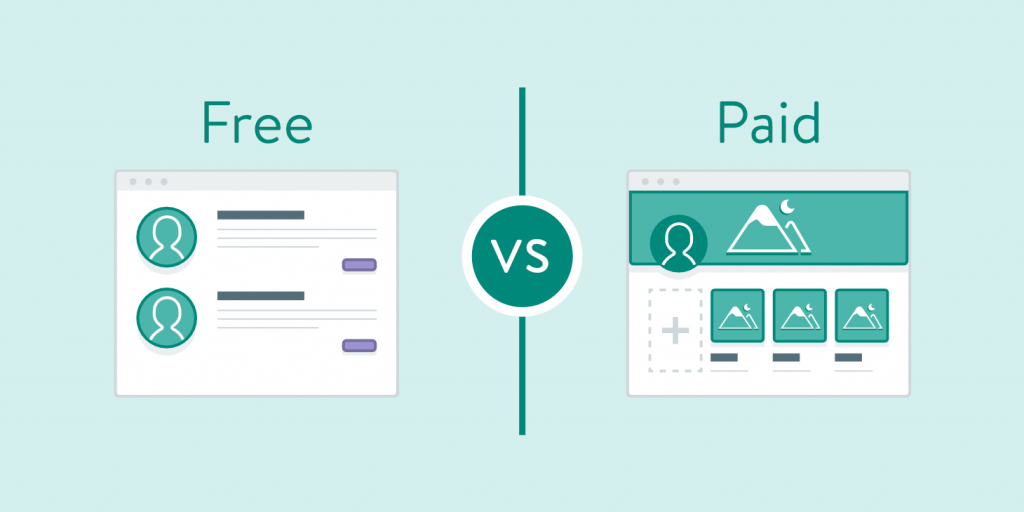
But premium templates make sense when you need advanced features like global colour palettes, WooCommerce-specific layouts, advanced header builders, or priority customer support. I
f your website is your primary source of income, spending $50 to $80 on a premium theme is one of the best investments you’ll ever make.
I’ll break this down in even more detail later in the post. For now, let’s get into the good stuff.
Best WordPress Templates at a Glance (Quick Comparison Table)
Use this table to compare the best WordPress templates side by side before reading the full reviews below.
| Count | Template | Best For | Free Version? | Speed Score | Price |
|---|---|---|---|---|---|
| 1 | Astra | Overall / Business | ✅ Yes | 95+ | Free / $47/yr |
| 2 | Sydney | Professional Services | ✅ Yes | 88+ | Free / $69/yr |
| 3 | Neve | Startups & Agencies | ✅ Yes | 90+ | Free / $69/yr |
| 4 | Hestia | Single Page Sites | ✅ Yes | 85+ | Free / $69/yr |
| 5 | Botiga | WooCommerce Design | ✅ Yes | 87+ | Free / $69/yr |
| 6 | OceanWP | Feature-Rich Stores | ✅ Yes | 82+ | Free / $43/yr |
| 7 | Storefront | Native WooCommerce | ✅ Yes | 91+ | Free |
| 8 | Kadence | Store Customization | ✅ Yes | 93+ | Free / $79/yr |
| 9 | Ashe | Lifestyle Blogs | ✅ Yes | 84+ | Free / $39 |
| 10 | Writee | Minimal Writing | ✅ Yes | 86+ | Free |
| 11 | Poseidon | News & Editorial | ✅ Yes | 80+ | Free |
| 12 | Justread | Long-Form Content | ✅ Yes | 88+ | Free |
| 13 | Blocksy | Modern Portfolio | ✅ Yes | 94+ | Free / $69/yr |
| 14 | Phlox | Designers & Artists | ✅ Yes | 79+ | Free / $79 |
| 15 | Inspiro | Visual Storytelling | ✅ Yes | 76+ | Free / $69 |
| 16 | Hello Elementor | Blank Canvas | ✅ Yes | 96+ | Free |
| 17 | ColorMag | Free Magazine | ✅ Yes | 80+ | Free / $69/yr |
| 18 | Hueman | Multi-Category News | ✅ Yes | 78+ | Free / $39 |
| 19 | Modern | Media-Heavy Sites | ✅ Yes | 75+ | Free |
| 20 | GeneratePress | Developers | ✅ Yes | 97+ | Free / $59/yr |
| 21 | Zakra | Multipurpose Minimal | ✅ Yes | 91+ | Free / $69/yr |
| 22 | Twenty Twenty-Five | Default WP | ✅ Yes | 89+ | Free |
| 23 | Divi | Drag-and-Drop | ❌ No | 72+ | $89/yr |
| 24 | Avada | All-in-One Premium | ❌ No | 74+ | $69 one-time |
| 25 | Kadence Pro | Value Premium | ✅ Limited | 93+ | $79/yr |
| 26 | GeneratePress Premium | Performance | ✅ Limited | 97+ | $59/yr |
| 27 | Blocksy Pro | WooCommerce Premium | ✅ Limited | 94+ | $69/yr |
Best WordPress Templates for Business Websites
Business websites have one job above everything else. They need to make your visitors trust you fast, and then convert them into leads or customers.
These best WordPress templates for business do exactly that they’re clean, they’re professional, they load quickly, and they don’t get in the way of your content.
1. Astra
This one is my absolute personal favourite. And I say that after using it on dozens of client projects. Astra is not just popular it’s widely considered one of the best WordPress template for any kind of website.
Astra is the most installed WordPress theme in the world and honestly, that’s not just because of clever marketing. It’s because it genuinely delivers on every single promise it makes.

Why does it matter?
Astra loads in under half a second on a properly configured hosting setup. I’ve personally seen it score 98 on Google PageSpeed when set up correctly.
That matters a lot because Google uses page speed as a direct ranking factor for SEO. And a slow website, no matter how beautiful it looks, will lose you customers before they even read a single word.
In my experience, Astra works best when paired with a page builder like Elementor or the Astra Starter Templates library. You get over 230 pre-built website templates right inside the theme and most of them are genuinely professional-looking.
According to data from the WordPress.org repository, Astra has over 1.8 million active installations and consistently maintains a 5-star rating across tens of thousands of reviews. That kind of adoption doesn’t happen by accident.
What to do next:
Download Astra free from WordPress.org, install one of the starter templates that matches your industry, and start customising from there. You’ll save yourself at least 10 hours of design work. Trust me on this one.
Pros: Blazing fast, highly customisable, massive template library, excellent plugin compatibility
Cons: The free version can feel limited without the pro upgrade; starter templates require importing
2. Sydney
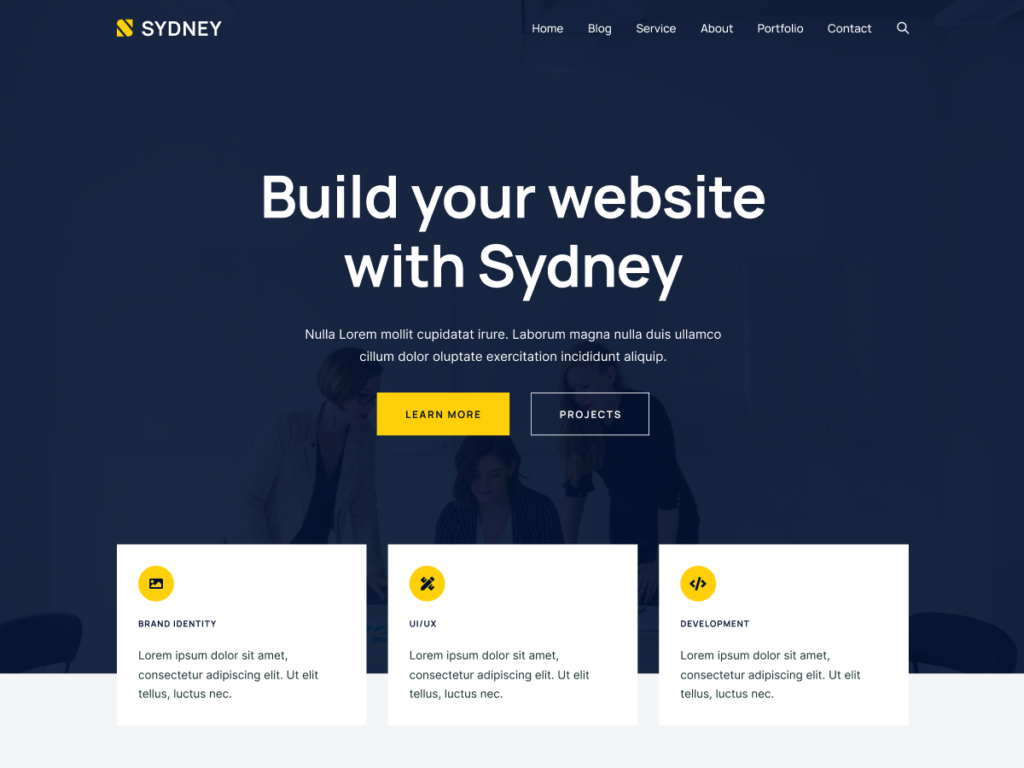
Does your business depend on trust and first impressions? Like a law firm, a consulting agency, or a financial services company? Then Sydney is made for you. Sydney is among the best WordPress templates if your goal is to build professional credibility fast.
Sydney is a clean, corporate-looking WordPress template that’s built specifically to make professional service businesses look absolutely credible and trustworthy.
The moment someone lands on a Sydney-based website, they get that “this company knows what they’re doing” feeling. And that feeling? It converts visitors into enquiries.
Why does it matter?
For professional services, your website is your digital business card. If it looks cheap or cluttered, potential clients will question whether your actual service is any good. Sydney solves this problem by giving you a premium-looking design even in its completely free version.
Sydney supports the Elementor page builder brilliantly, and it comes with pre-built sections for services, team members, testimonials, and a Google Maps integration all the things a professional services website absolutely needs.
Micro CTA:
If you run a service-based business and you haven’t tried Sydney yet, install it today and use the business starter template. You’ll be surprised how professional your site can look within just a couple of hours of work.
Pros: Perfect for professional services, great Elementor support, beautiful typography
Cons: Free version has limited header options; customisation can feel slightly restrictive without pro
3. Neve
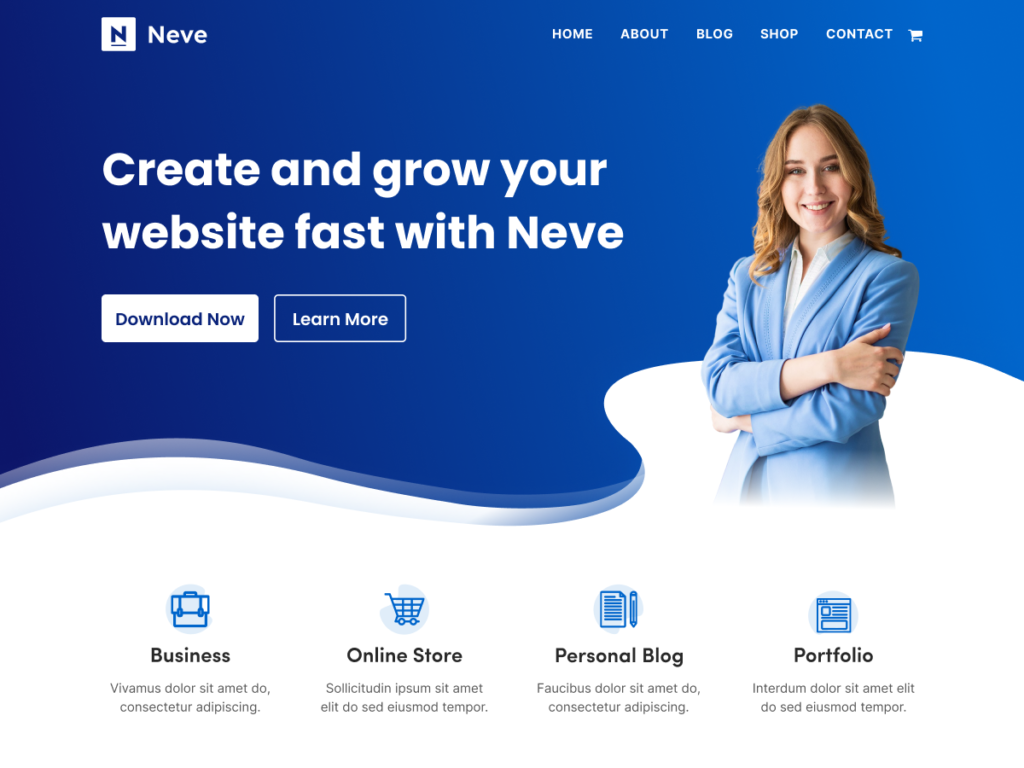
Neve is one of those best WordPress template that I genuinely love recommending to startup founders and digital agencies. It’s modern, it’s fast, and it gives you a ton of creative freedom even in the free version.
What makes Neve special is its AMP (Accelerated Mobile Pages) compatibility something that most templates completely ignore. AMP basically makes your website load almost instantly on mobile devices.
For startups and agencies whose target audience is often browsing on phones, this is a huge competitive advantage.
At BrandNexa Infotech, we’ve used Neve for several of our agency clients, and the feedback has always been incredibly positive. Visitors spend more time on the site, bounce rates drop, and lead enquiries go up.
According to a 2024 study by HTTP Archive, mobile traffic now accounts for over 63% of all web traffic globally. If your website isn’t fast on mobile, you’re basically handing customers over to your competitors on a silver platter.
Micro CTA:
Try Neve’s free version and specifically install the “Agency” or “Digital Agency” starter demo. It gives you a complete, ready-to-use website in about 60 seconds.
Pros: AMP compatible, very fast, great for agencies, clean modern design
Cons: Some advanced features locked behind the pro version; demo content sometimes needs heavy customisation
4. Hestia
Sometimes you don’t need a 10-page website. Sometimes a single, well-designed page that tells your story and captures leads is all you actually need.
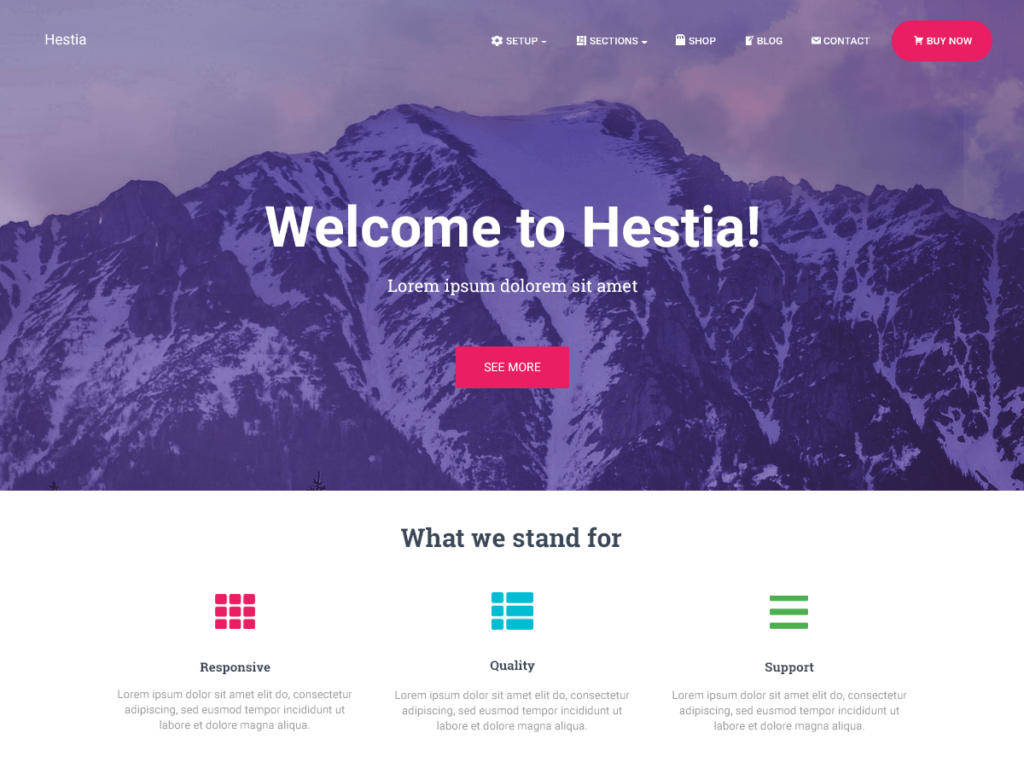
Hestia is the best single-page WordPress template I’ve come across. It uses a Material Design style clean sections, smooth scrolling, elegant typography and it works beautifully for small businesses, freelancers, and product launches.
I’ve recommended Hestia to multiple solo entrepreneurs and small business owners who just wanted a clean online presence without the complexity of a multi-page site. Every single one of them came back happy.
Micro CTA: If you’re a freelancer, a local business, or launching a new product, give Hestia a try before investing in anything more complex. Start simple. You can always expand later.
Pros: Perfect for single-page sites, Material Design aesthetic, beginner-friendly
Cons: Not ideal for content-heavy websites; blogging features are quite limited
Also Read : How to Make a Clickable Phone Number in WordPress (2 minutes)
Best WordPress Templates for eCommerce & Online Stores
Running an online store is a completely different ball game compared to a regular business website. You need product pages that convert, checkout flows that don’t confuse, and a design that builds purchasing trust.
These next four templates are the ones I trust for eCommerce. Here are the best WordPress templates for running a profitable online store.
5. Botiga
Botiga is one of the best WordPress template for WooCommerce, and the most visually beautiful one for free. It’s minimal, it’s elegant, and it puts your products front and centre exactly where they should be.
What I love most about Botiga is how it handles product pages. The layouts are clean, the add-to-cart flow is smooth, and it doesn’t clutter the page with unnecessary distractions. Every design decision is made with the customer’s buying experience in mind.
For stores selling premium or lifestyle products think handmade jewellery, organic skincare, premium fashion Botiga is genuinely hard to beat.

Micro CTA: Download Botiga and check out their “Shop” and “Product Page” demos first. That’ll give you a very clear picture of what your store could look like.
Pros: Stunning product page design, minimal and elegant, great for lifestyle/premium products
Cons: Less suited for stores with a very large number of product categories
6. OceanWP
OceanWP earns its place among the best WordPress template for feature-rich stores. OceanWP is like the Swiss Army knife of WordPress templates. It has a feature for practically everything sticky headers, WooCommerce popup carts, mega menus, multiple header styles, and even built-in Instagram feed integration.
If you’re running a store with dozens of product categories, multiple product types, and a complex navigation structure, OceanWP gives you the tools to handle all of it without needing a separate plugin for every little thing.
In my experience, OceanWP can sometimes feel a little overwhelming for absolute beginners. But once you get past the initial setup, it’s incredibly powerful and flexible.
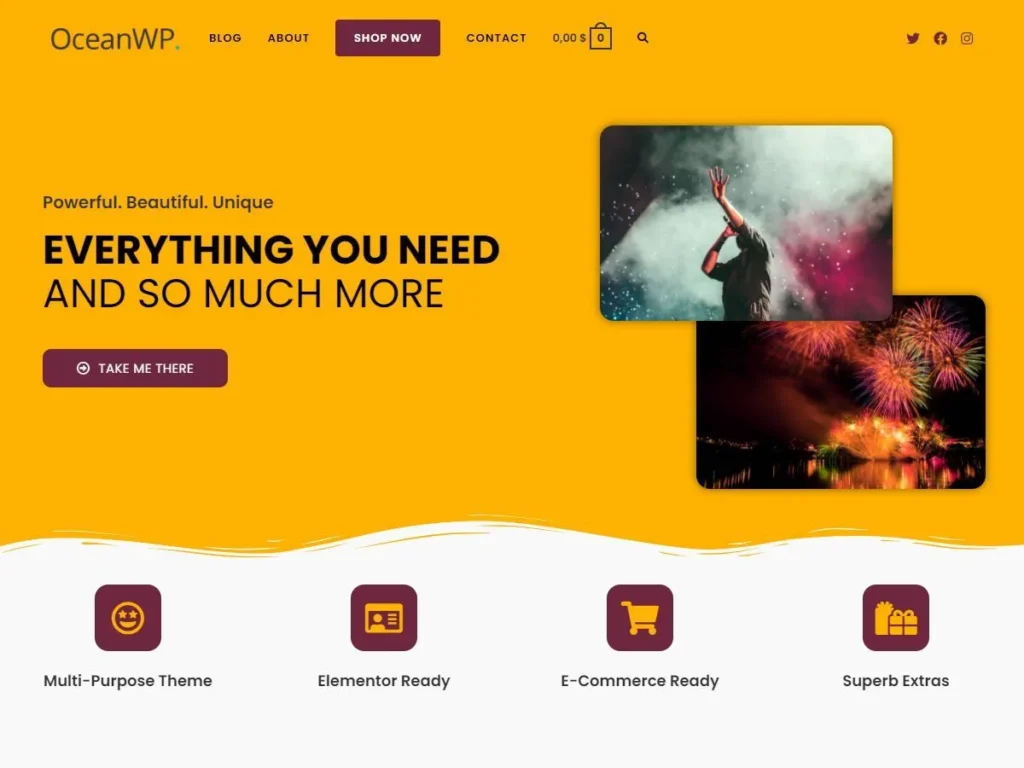
Micro CTA: Use OceanWP if your store is complex and you need lots of built-in features. Install the eCommerce demo and then customise from there it’ll save you hours.
Pros: Extremely feature-rich, very flexible, great WooCommerce integration
Cons: Steeper learning curve; can feel heavy for simple stores
7. Storefront
Here’s something interesting. Storefront is actually built and maintained by the same people who build WooCommerce the Automattic team. And that means one thing: it will always work perfectly with WooCommerce. No compatibility issues. No conflicts. No weird bugs.
If you want a completely stress-free WooCommerce experience, Storefront is your safest bet. It’s not the flashiest template on this list, but it’s rock-solid, reliable, and gets out of the way so your products can do the talking.
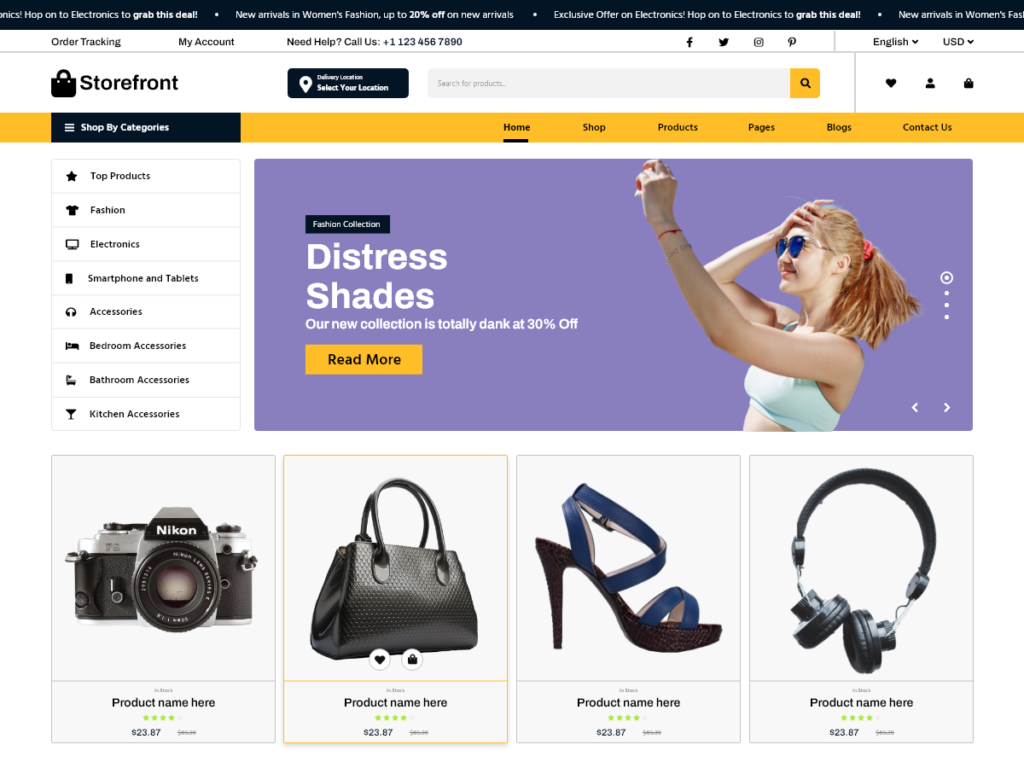
Micro CTA: If compatibility and reliability are your top priorities, start with Storefront. It’s free, it’s officially supported, and it works flawlessly out of the box.
Pros: Official WooCommerce template, zero compatibility issues, extremely reliable
Cons: Design is quite plain; limited customisation without child themes or page builders
8. Kadence
Kadence is one of the best WordPress template when a client wants full control over every design element. Kadence is the template I recommend when a client says “I want complete control over how my store looks every single section of it.” Because Kadence gives you exactly that level of control through its built-in Kadence Blocks system.
With Kadence, you can customise your header, footer, sidebar, product pages, cart, checkout everything without installing a single additional plugin. The built-in Header Builder alone is worth the download.
And the speed? Kadence consistently scores between 90 and 95 on PageSpeed, even with a fully customised WooCommerce setup. That’s genuinely impressive.

Micro CTA: Try Kadence free and specifically explore the Header Builder settings. Once you see how powerful it is, you’ll understand why so many developers are switching to it.
Pros: Incredible customisation, blazing fast, excellent built-in blocks, great WooCommerce support
Cons: The best features require the Kadence Pro upgrade
Best WordPress Templates for Bloggers & Writers
If writing is your thing whether you’re a lifestyle blogger, a journalist, a novelist sharing your work, or just someone who loves putting words on the internet these best WordPress templates for bloggers are made for you.
They prioritise readability, typography, and a distraction-free reading experience above everything else.
9. Ashe
Ashe is one of the best WordPress template for lifestyle content creators. Ashe is a gorgeous lifestyle blog template that feels like it was pulled straight from a premium editorial magazine.
The typography is beautiful, the image layouts are elegant, and the overall vibe is warm, personal, and inviting exactly what a lifestyle blog should feel like.
It’s hugely popular among fashion bloggers, travel writers, food bloggers, and wellness content creators. And I can see exactly why it makes even a simple blog post look like a piece of editorial art.
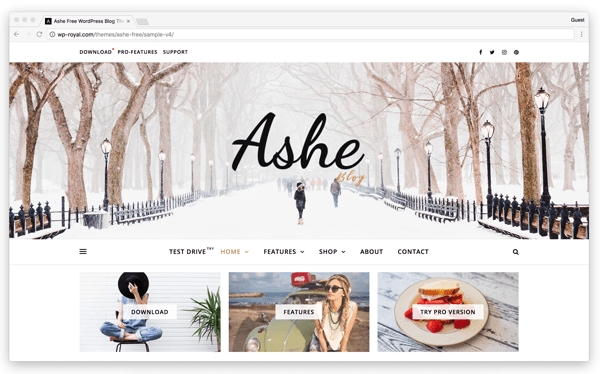
Micro CTA: If you’re starting a lifestyle blog, don’t overthink it. Install Ashe, customise the colours and fonts to match your brand, and start writing. The template will make your content look incredible.
Pros: Beautiful editorial design, perfect for lifestyle content, great typography
Cons: Not ideal for non-blog websites; limited widget areas in the free version
10. Writee
For serious writers, Writee is among the best WordPress template for distraction-free publishing Writee does one thing and does it exceptionally well it gets completely out of the way and lets your writing shine. No clutter. No distractions. No flashy animations or complex sidebar widgets. Just clean, beautiful, focused reading.
If you’re a serious writer who wants readers to actually read your content without being distracted by a hundred different design elements, Writee is your template. The typography choices alone make it worth installing.
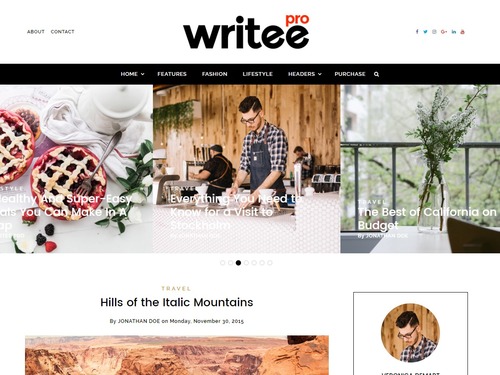
Micro CTA: Download Writee and write your first three posts before customising anything else. Just feel the experience of writing in that clean environment first it’ll motivate you to keep going.
Pros: Distraction-free reading, excellent typography, very fast, genuinely minimal
Cons: Very limited in terms of features; not suitable for commercial or business websites
11. Poseidon
Poseidon is built for blogs that publish frequently multiple posts per day, multiple categories, a lot of content happening at once. It handles high-volume publishing beautifully with its structured layouts, multiple widget areas, and clean category organisation.
News blogs, opinion blogs, multi-author publications these are exactly the kinds of sites where Poseidon shines brightest.
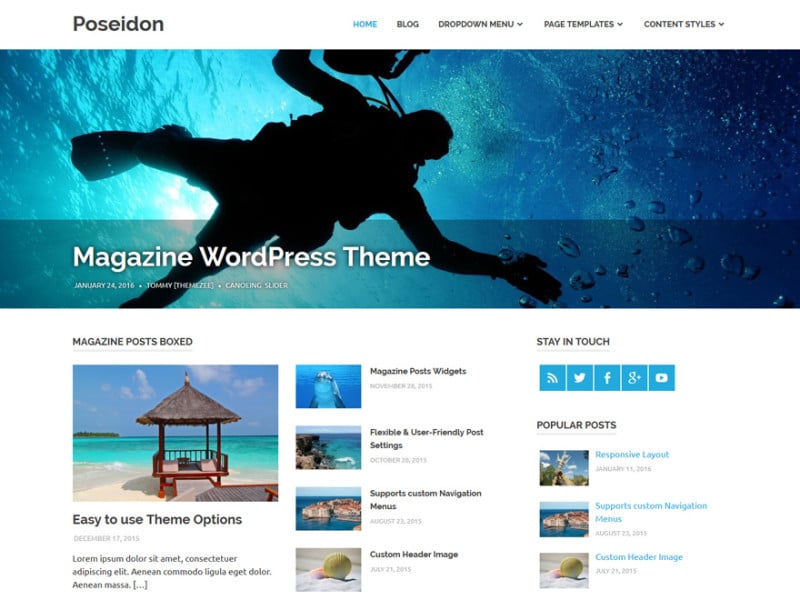
Pros: Great for high-volume publishing, structured layouts, strong category organisation
Cons: Can feel quite heavy if you’re a solo blogger with light content needs
12. Justread
ustread proves that the best WordPress template for long-form writing prioritize the reader above everything else. Justread is for the writers who go deep the 3,000-word deep-dives, the detailed how-to guides, the comprehensive analysis pieces. The template is specifically designed to make long-form content comfortable and enjoyable to read.
Wide margins, generous line spacing, excellent font sizing every detail in Justread is optimised for extended reading sessions. And in a world where most people skim content, creating a template that actually encourages deep reading is a genuinely smart design choice.
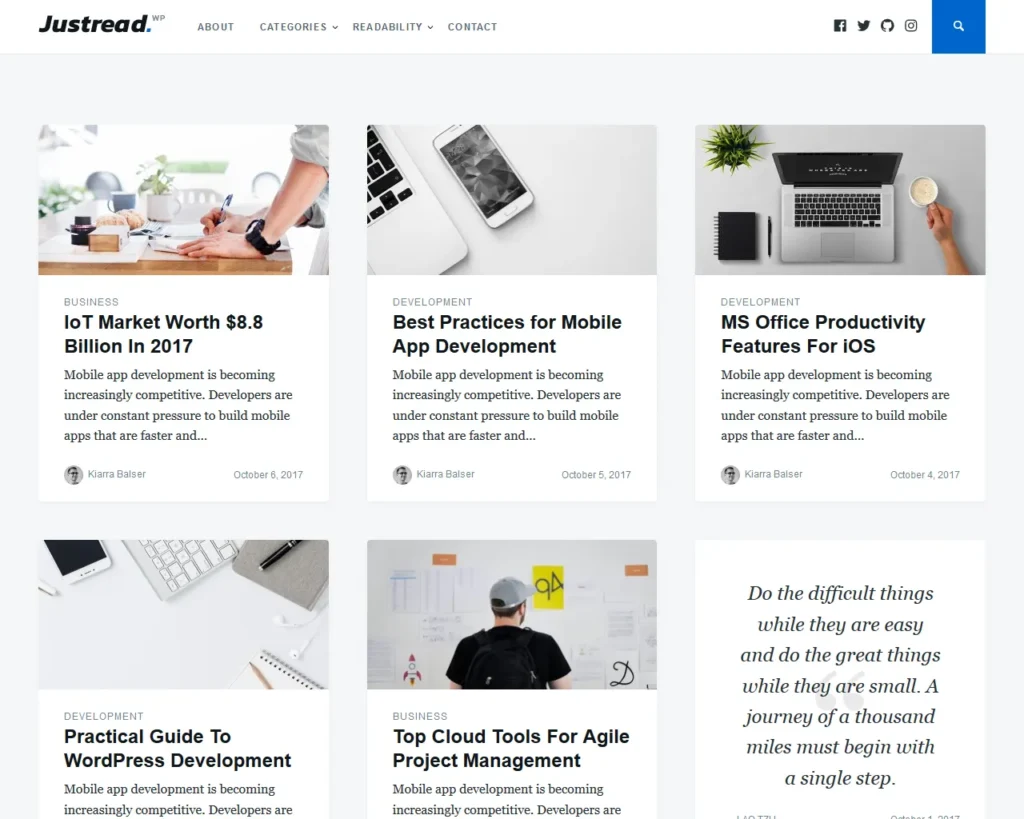
Micro CTA: If your blog posts regularly cross 1,500 words, switch to Justread and watch your average time-on-page metric improve significantly.
Pros: Optimised for long-form reading, clean typography, great reading experience
Cons: Very limited eCommerce or business features
Read More: 9 Best SEO Tools for 2026 (Honestly Compared)
Best WordPress Templates for Portfolios & Creatives
You’re a designer, a photographer, an illustrator, or a creative professional of some kind. Your website needs to do one thing above everything else show your work in the most stunning, most impactful way possible. These templates are built exactly for that purpose. These are the best WordPress templates if showcasing your work is your number one goal.
13. Blocksy
Blocksy is one of the most exciting WordPress templates I’ve come across in the last couple of years. It’s modern, it’s flexible, it’s fast, and the free version gives you more features than most premium templates charge money for. Blocksy is one of the best WordPress template for portfolios, combining modern design with outstanding speed.”
For portfolios, specifically, Blocksy’s custom post types and hook system allow you to build incredibly unique project pages pages that actually tell the story behind your work rather than just showing a flat image.
With a PageSpeed score of 94+ even with a fully customised setup, Blocksy proves that you absolutely don’t have to sacrifice performance for design quality.
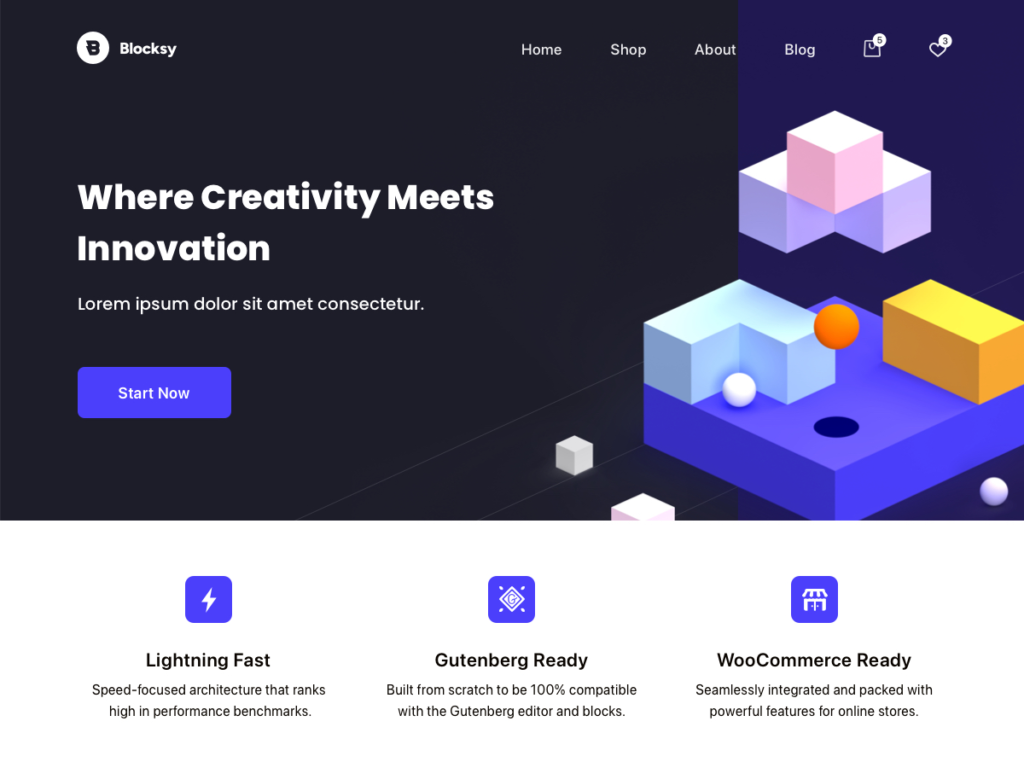
Micro CTA: Install Blocksy and explore the “Custom Post Types” feature in the settings. It’s a game-changer for portfolio websites.
Pros: Extremely fast, beautiful portfolio layouts, very flexible, hooks system is powerful
Cons: Some advanced features require Blocksy Pro
14. Phlox
Phlox comes with over 70 pre-built demo websites and honestly, several of them are genuinely beautiful. For graphic designers, illustrators, architects, and visual artists, Phlox offers layouts that feel truly portfolio-ready right out of the box. Phlox stands out among the best WordPress template for designers and visual artists.
I personally prefer Phlox for clients who work in highly visual industries interior design firms, creative agencies, architectural studios. The demos it comes with set the bar high from day one.
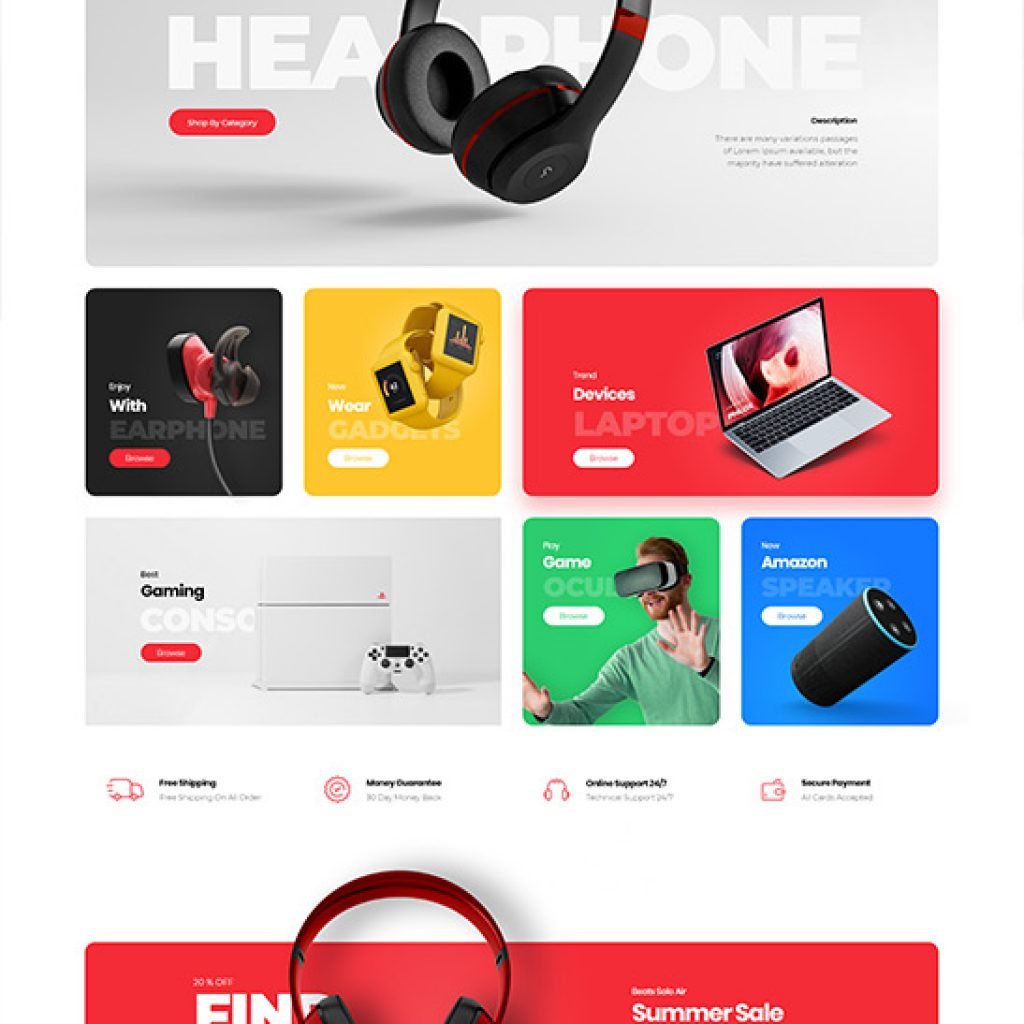
Pros: 70+ beautiful demos, great for visual-heavy industries, good WooCommerce support
Cons: Can be quite heavy if you install too many demo components; slight learning curve
15. Inspiro
If your work involves video video production, cinematography, documentary filmmaking, or motion graphics Inspiro is genuinely in a league of its own for WordPress templates. It’s one of the very few templates built specifically around full-screen video backgrounds and visual storytelling.
The homepage experience alone is breathtaking when done right a full-screen video or image that immediately communicates what you do without a single word of text needed.
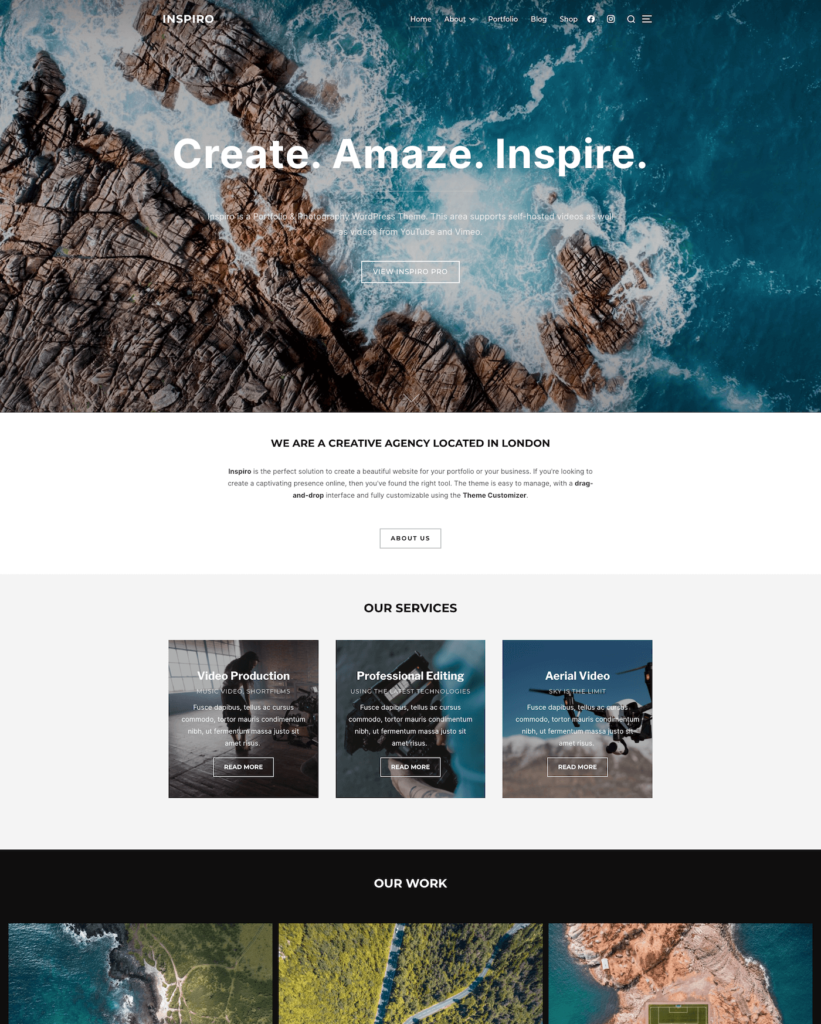
Micro CTA: Download Inspiro and start with a simple full-screen video on your homepage. Let your work speak for itself before you write a single sentence of copy.
Pros: Perfect for video-centric portfolios, stunning visual presentation, beautiful full-screen layouts
Cons: Not ideal for text-heavy or content-focused websites; can be slow without video optimisation
16. Hello Elementor
Hello Elementor is probably the lightest, most minimal WordPress template on this entire list. It essentially does nothing on its own and that’s exactly the point. It’s built to be the perfect foundation for Elementor Page Builder, giving you a completely blank slate to design absolutely anything you can imagine. For Elementor users, Hello Elementor is arguably the best WordPress template as a blank canvas.”
For creative professionals who want 100% control over every single pixel of their website, Hello Elementor is the answer. There are no pre-built design decisions fighting against your creativity. You start with nothing and build everything yourself.
And because it’s so lightweight, the performance is exceptional we’re talking about a near-perfect PageSpeed score when properly set up.
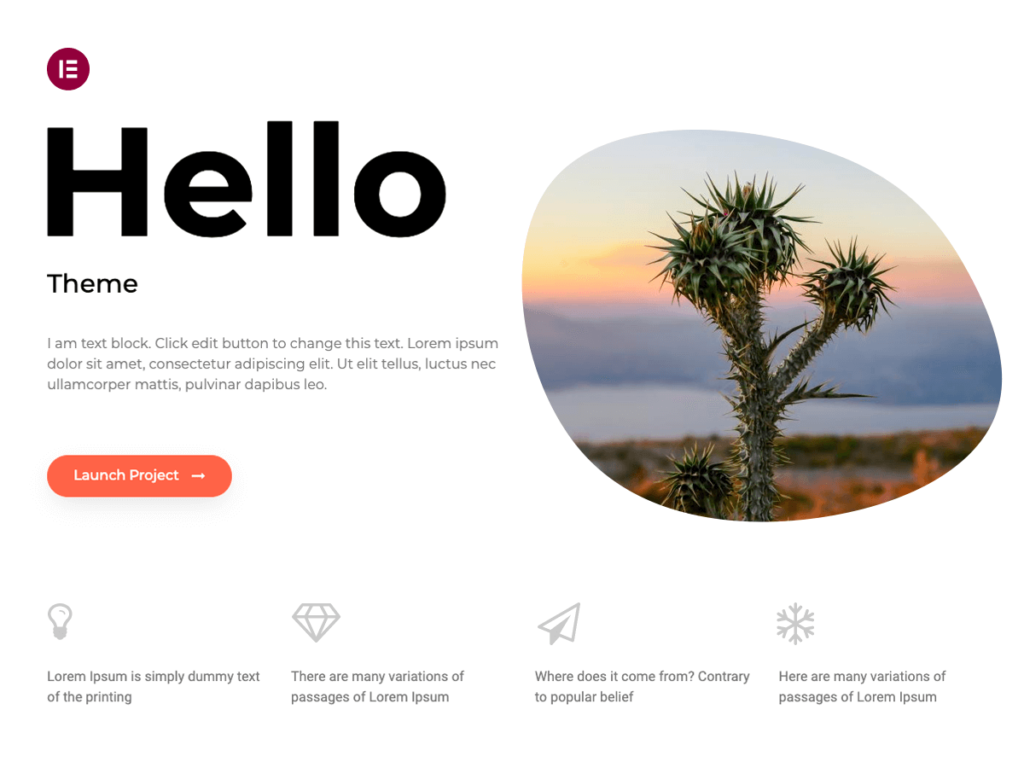
Micro CTA: If you’re an Elementor user, switch to Hello Elementor immediately. Your performance scores will improve instantly.
Pros: Ultra-lightweight, perfect Elementor integration, complete design freedom, excellent performance Cons: You need Elementor to make it useful; no standalone design value without a page builder
Best WordPress Templates for Magazines & News Sites
Looking for the best WordPress templates for news and editorial content? Here are the top three.
17. ColorMag
ColorMag is one of the most downloaded free magazine templates in the entire WordPress ecosystem and it earns that title. It gives you a proper magazine-style layout with colour-coded categories, featured article slots, breaking news tickers, and a widget-heavy sidebar all for completely free. ColorMag is one of the best WordPress template for online magazines on a tight budget.
For blogs transitioning into proper online magazines or community news sites with limited budgets, ColorMag is an absolute steal.

Pros: True magazine layout, colour-coded categories, very feature-rich for free, constantly updated
Cons: Can look cluttered if not organised carefully; page speed can suffer with heavy content
18. Hueman
Hueman is my go-to recommendation when a client is running a multi-category news publication something covering politics, technology, sports, entertainment, and lifestyle all at the same time. Its multi-column layout handles diverse content categories beautifully, giving each category its own visual space without the page looking chaotic.
The live customiser in Hueman is also one of the best I’ve used changes appear in real-time as you make them, making the setup process much faster and more intuitive.
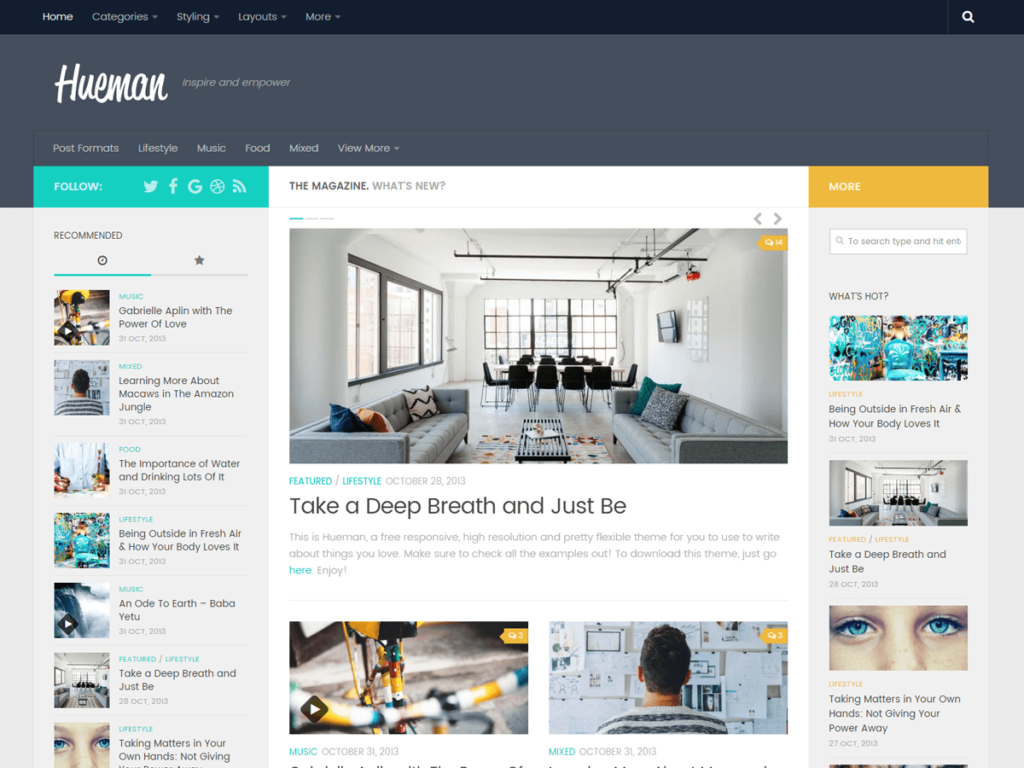
Pros: Excellent multi-category handling, great live customiser, clean navigation structure
Cons: Design feels slightly dated compared to newer magazine templates
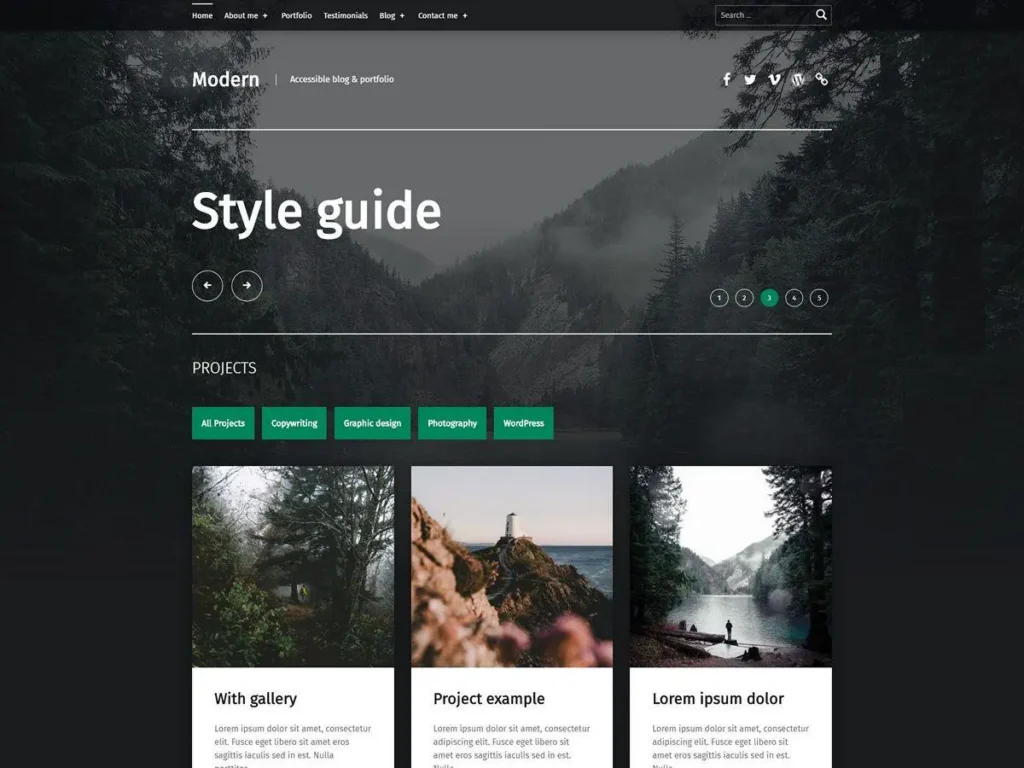
19. Modern
Modern is built for websites that rely heavily on images and videos as the primary content format think photo journalism, entertainment news, celebrity gossip blogs, or visual culture publications. Its masonry grid layout and full-width media displays make visual content feel genuinely impactful.
Pros: Great for visual content, masonry grid layout, good media handling
Cons: Text-heavy content can look underwhelming; limited customisation without pro
Best WordPress Templates for Developers & Minimalists
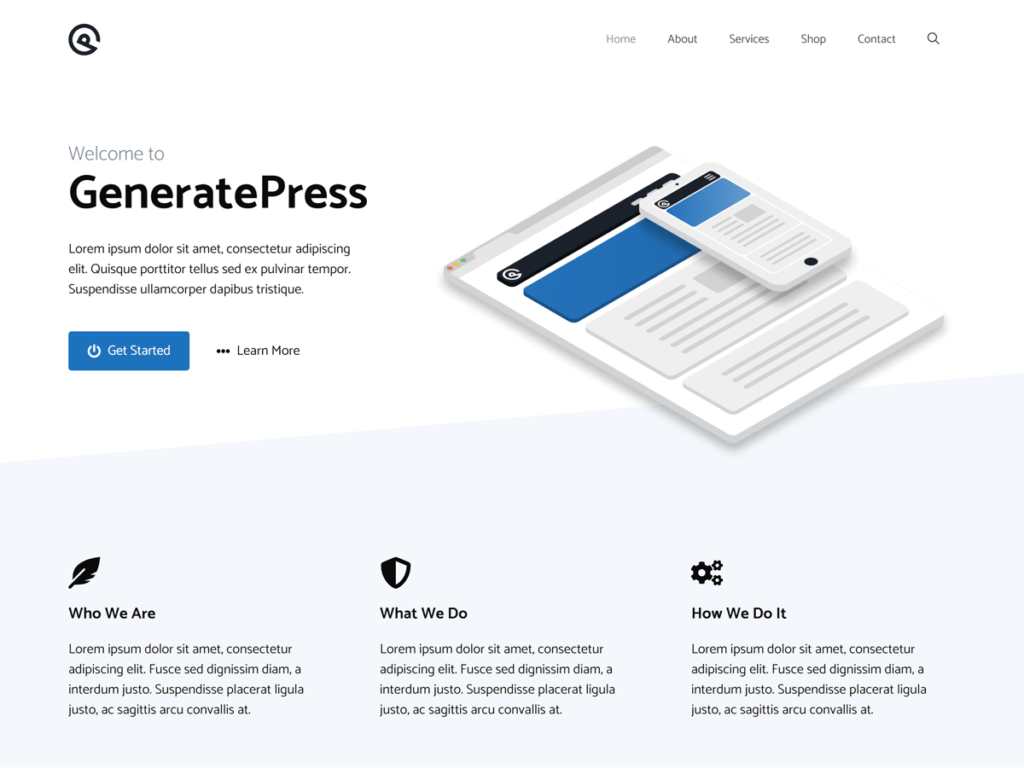
20. GeneratePress
GeneratePress is the template that web developers secretly love the most. While everyone else is talking about Astra and Divi, developers who care deeply about clean code, minimal bloat, and maximum performance are quietly using GeneratePress on all their client projects.
The codebase is incredibly clean. The free version weighs less than 30KB which is essentially nothing. And the PageSpeed scores? Consistently above 95, often hitting 97 or 98 with proper setup.
At BrandNexa Infotech, when we work with clients who are absolutely obsessed with technical SEO performance, GeneratePress is almost always the first template we reach for.
According to WPBeginner’s 2024 performance report, GeneratePress outperforms nearly every other popular WordPress theme in raw loading speed tests. That’s not a small achievement it’s a significant competitive advantage in a world where Google counts every millisecond.
Micro CTA: If page speed and technical performance are non-negotiables for you, download GeneratePress right now. Your developers will thank you.
Pros: Incredibly fast, clean code, minimal bloat, excellent for developers, fantastic performance
Cons: Very plain design out of the box; requires skill and effort to make it look unique
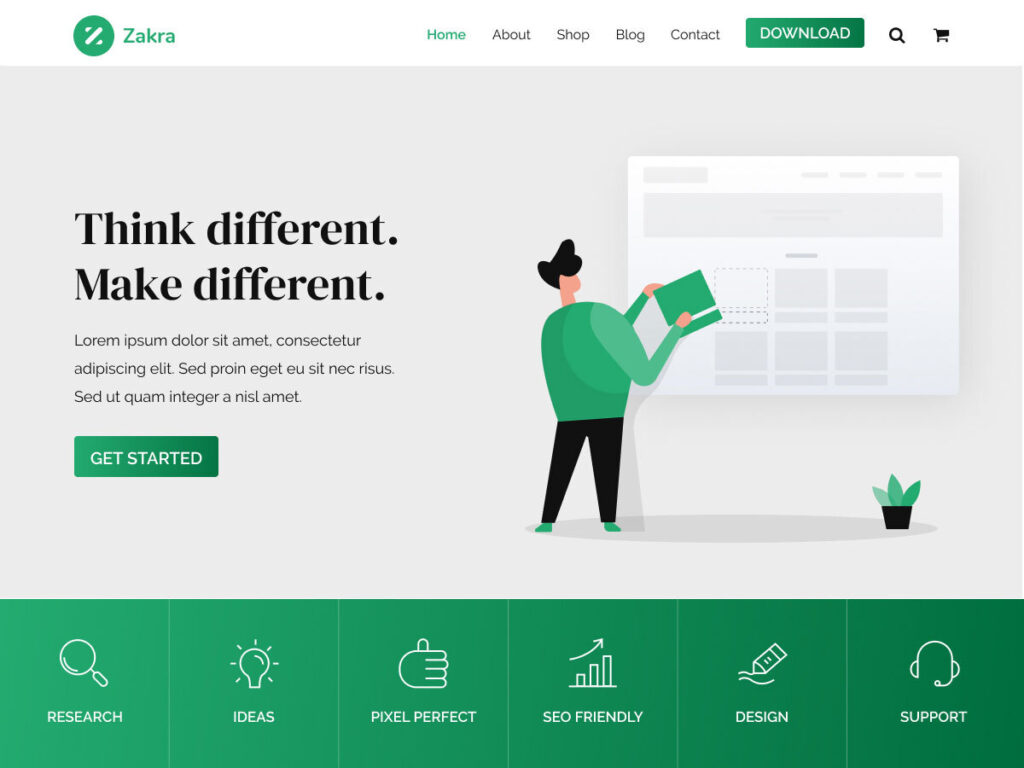
21. Zakra
Zakra hits a really interesting sweet spot between minimal design and multipurpose flexibility. It’s clean enough for developers who hate bloated themes, but feature-rich enough for business owners who need a proper website without custom development work.
It comes with over 60 pre-built starter sites and plays nicely with all major page builders. The typography is clean, the layouts are modern, and the performance is solid throughout.
Pros: Great balance of minimal and feature-rich, 60+ starters, solid performance
Cons: Not as fast as GeneratePress; some starter sites feel generic
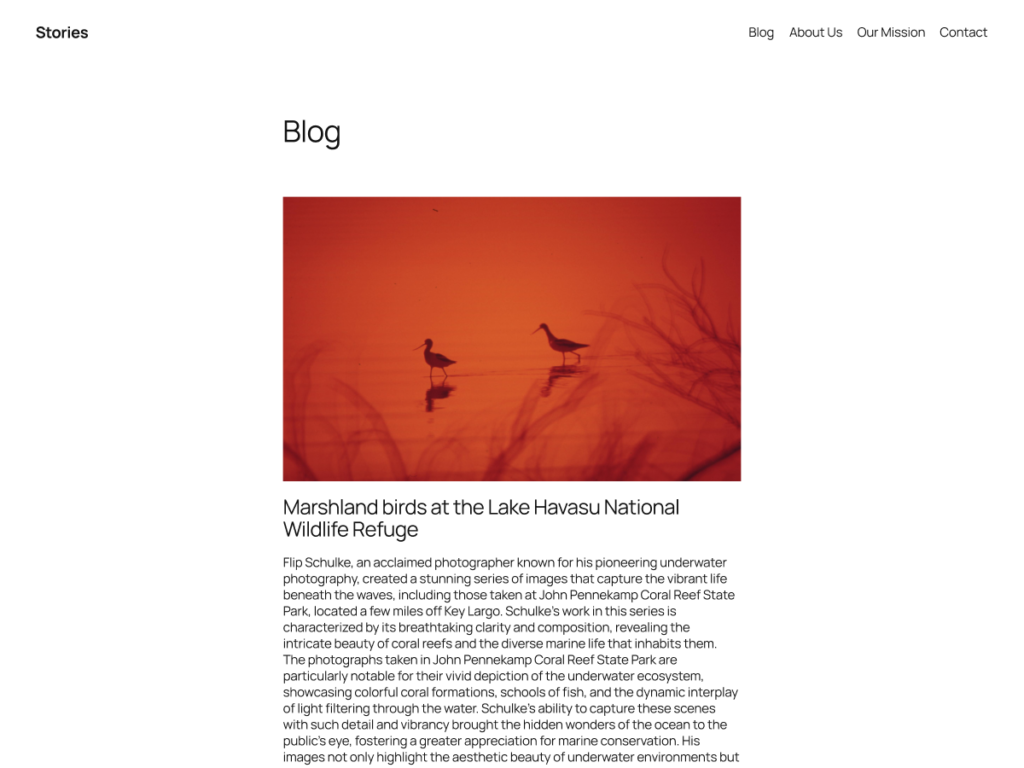
22. Twenty Twenty-Five
Every year, WordPress releases an official default theme and Twenty Twenty-Five is genuinely the most polished default theme they’ve ever released. It’s built on the Full Site Editing (FSE) system, which means you can customise literally every part of your website header, footer, sidebars, everything right from the WordPress block editor.
For developers exploring the future of WordPress design, or for beginners who want something reliable and officially maintained, Twenty Twenty-Five is a completely legitimate choice.
Pros: Official WordPress support, Full Site Editing capable, regularly updated, always compatible
Cons: Full Site Editing has a learning curve; less flexible than purpose-built themes for complex needs
Best Premium WordPress Templates Worth Paying For
Alright. Now we get into the paid territory. And before I list these, I want to be very clear about something you don’t need a premium template. But if you’re running a serious business website and you want advanced features, better support, and more design flexibility, these five best WordPress templates in the premium category are genuinely worth every cent.
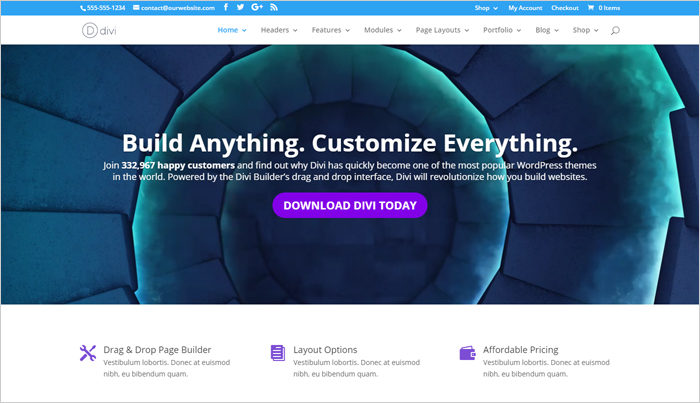
23. Divi
Divi is probably the most well-known premium WordPress template in the world and it’s earned that reputation through years of consistent development and a genuinely powerful drag-and-drop builder.
With Divi, you can build almost any layout you can imagine without writing a single line of code. The visual builder is intuitive, the design options are nearly endless, and the Divi marketplace gives you access to hundreds of additional layouts built by the community.
However, I want to be completely honest here Divi does carry a performance cost. It tends to load more JavaScript and CSS than lightweight themes like GeneratePress or Astra. For most business websites, this is absolutely fine. But if you’re obsessed with perfect PageSpeed scores, Divi might not be your best friend.
Pros: Incredibly powerful visual builder, massive layout library, strong community, one subscription for unlimited sites
Cons: Heavier than lightweight themes; page speed can suffer without additional optimisation
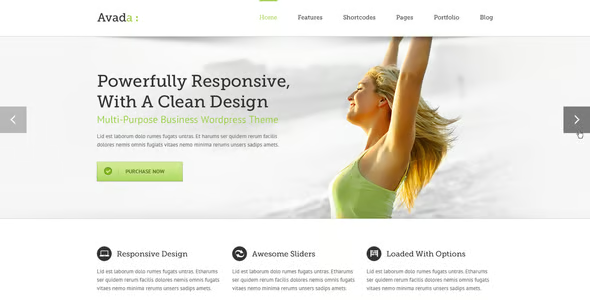
24. Avada
Avada has been the best-selling premium WordPress theme on Envato/ThemeForest for multiple years running. And with over 950,000 purchases, it’s clearly doing something right.
Avada is essentially an entire website builder bundled into a single theme. It comes with the Fusion Builder (their own custom page builder), 400+ pre-built website demos, WooCommerce support, a portfolio system, a mega menu builder, and an extremely detailed options panel.
If you want everything in one place and don’t mind a slightly steeper learning curve, Avada is genuinely impressive in terms of what it includes for the price.
Pros: Massive feature set, 400+ demos, one-time purchase price, very actively developed
Cons: Significant learning curve; can be overkill for simple websites; performance requires careful management
25. Kadence Pro
I mentioned Kadence earlier in the free templates section. Now let me talk about why the Pro version deserves its own spot on this list.
Kadence Pro adds WooCommerce-specific features, advanced typography controls, custom fonts, scroll animations, and the incredibly powerful Kadence Conversions tool which helps you build popups, slide-ins, and banners to capture leads and drive conversions. All of this, for just $79 per year for unlimited sites. That’s genuinely exceptional value.
Micro CTA: If you’re already using Kadence free and you run a business or eCommerce website, upgrading to Pro is a very easy decision. The conversion tools alone will pay for themselves.
Pros: Exceptional value, great WooCommerce features, conversion tools included, fast performance maintained
Cons: Annual subscription required; some features feel incremental rather than transformative
26. GeneratePress Premium
If you want the absolute fastest WordPress theme available with premium features, GeneratePress Premium is your answer. Full stop.
The premium version adds a Site Library with 70+ beautifully designed starter sites, an advanced sections system, WooCommerce integration, and global CSS variable control. And somehow, despite all these additions, GeneratePress Premium still maintains page speed scores in the high 90s.
I’ve used GeneratePress Premium on several BrandNexa Infotech client projects where technical SEO was the absolute top priority think highly competitive industries where even a half-second faster loading time can mean the difference between ranking on page one or page two. The results have always been outstanding.
Pros: Fastest premium theme available, clean code, excellent SEO performance, 70+ starter sites
Cons: Design requires more effort than visual builders like Divi; not beginner-friendly
27. Blocksy Pro
Blocksy Pro is, in my experience, the best premium WooCommerce template available right now especially for stores that care equally about design quality and performance. The Pro version adds stunning WooCommerce features like Quick View modals, floating add-to-cart bars, product wishlists, and advanced product filtering.
All of this while maintaining a PageSpeed score of 94+. That’s remarkable for a WooCommerce-heavy setup.
Micro CTA: If you’re building a serious WooCommerce store and you want it to look premium AND perform fast, Blocksy Pro is your answer. It’s the one I’d choose today if I were starting a new store from scratch.
Pros: Best WooCommerce-specific premium features, excellent performance, beautiful design, great value Cons: Slightly complex initial setup; some features require the full pro package
How to Choose the Best WordPress Template for Your Site
Okay, so now you’ve seen all 27 templates. But maybe you’re still not sure which one is right for you specifically. Let me walk you through a simple, five-step process that I use with every single client at BrandNexa Infotech before we recommend a template. Choosing from the best WordPress templates can still feel overwhelming without a clear process.”

Step 1 – Define Your Website’s Core Purpose
Before you even look at templates, you need to answer one question clearly: What is the primary purpose of this website? This single question will eliminate most of the best WordPress template that simply aren’t right for your use case.
Is it to get leads and enquiries? Is it to sell products directly? Is it to build an audience around your writing? Is it to showcase your creative portfolio?
Your answer to this question should be the single most important filter you apply when choosing a template. A template designed for blogging will almost always frustrate you if you’re trying to run an eCommerce store. And a WooCommerce template will feel unnecessarily heavy if all you want is a simple portfolio.
Define the purpose first. Everything else follows from that.
Step 2 – Check Speed & Core Web Vitals Scores
Once you’ve shortlisted two or three templates that match your purpose, go to GTmetrix.com or Google PageSpeed Insights and test the template’s official demo URL. This gives you a real sense of how the template performs under realistic conditions.
Look specifically for these three Core Web Vitals metrics: LCP (Largest Contentful Paint) should be under 2.5 seconds; FID (First Input Delay) should be under 100 milliseconds; and CLS (Cumulative Layout Shift) should be below 0.1. These are the metrics Google uses directly for SEO rankings. A template that fails these tests will always be fighting against your SEO efforts.
Step 3 – Verify Plugin Compatibility (Especially Page Builders)
Check whether the template you’re considering works well with the plugins you plan to use. Particularly important: your page builder (Elementor, Beaver Builder, Gutenberg), your SEO plugin (Yoast or RankMath), your contact form plugin, and WooCommerce if you’re building a store.
Most major templates will explicitly state their plugin compatibility on their official documentation page. Take five minutes to check this before you commit.
Step 4 – Look for Active Support & Regular Updates
A template that hasn’t been updated in 12 months is a security risk and a compatibility risk. WordPress itself updates multiple times a year, and WooCommerce updates even more frequently. If your template isn’t keeping up with these updates, you’re going to run into problems sooner or later.
Check the “Last Updated” date on WordPress.org or the theme’s official page. Also check the support forum response times how quickly does the developer respond to support questions? This matters a lot when you inevitably run into a problem at 11pm the night before an important launch.
Step 5 – Test Mobile Responsiveness Before Committing
Open the template’s live demo on your actual mobile phone not just by resizing your browser window on a desktop screen, because that doesn’t show you the full picture. Browse through all the major pages: homepage, about, services, contact, and any product or blog pages.
Check that images resize properly, that navigation menus work without horizontal scrolling, that buttons are large enough to tap comfortably, and that forms are easy to fill in on a touchscreen. If anything feels awkward or broken on mobile, walk away. Mobile responsiveness is not optional in 2026.
Free vs Premium WordPress Templates: The Honest Breakdown
Let me be completely real with you about this, because I see people getting this decision wrong all the time in both directions. When it comes to best WordPress templates, the free vs premium debate is more nuanced than most people think.
When a Free Template Is Genuinely Enough
A free template is genuinely enough when you’re just starting out and have minimal budget to invest. It’s enough when your website’s purpose is relatively simple a blog, a small portfolio, or a basic business presence. It’s also enough when you plan to use a capable page builder like Elementor that can compensate for design limitations in the base template.
Templates like Astra free, GeneratePress free, Kadence free, and Blocksy free are genuinely excellent products. You are not getting a “watered-down” experience with these you’re getting a very capable template that can power a serious website.
When Upgrading to Premium Actually Makes Sense
Upgrading to premium makes sense when your website is your primary source of revenue and you need the absolute best performance, features, and support. It also makes sense when you need specific features like advanced WooCommerce functionality, custom header builders, or built-in conversion tools that aren’t available in the free version.
It makes sense when your business has grown to the point where the cost of a $59 to $89 per year premium theme is genuinely trivial compared to the revenue the website generates. And it makes sense when your time is valuable and you’d rather pay for a polished product than spend hours working around the limitations of a free template.
Red Flags to Watch Out for in Any WordPress Template
Here are the warning signs I personally look for and immediately walk away from when evaluating any WordPress template. Whether it’s free or paid.
Watch out for templates that haven’t been updated in over 12 months that’s a maintenance red flag. Avoid templates from developers with no active support forum or community if something breaks, you’ll be alone. Be very cautious about templates that require you to install five or six plugins just to make the demo look like the preview that’s unnecessary bloat. And never install a template from an unofficial source like a random file-sharing site these often contain malicious code and can completely compromise your website’s security.
Frequently Asked Questions About WordPress Templates
Still have questions about choosing the best WordPress templates? Here are the answers to the most common ones.
Which WordPress template is best for beginners?
For absolute beginners, I recommend Astra with the Astra Starter Templates plugin. It gives you a complete, professional-looking website in under 60 seconds with the one-click demo import feature. The interface is intuitive, the documentation is excellent, and the community is enormous so finding answers to any question you have is very easy.
Are free WordPress templates safe to use?
Yes, if you download them from the official WordPress.org repository or from the template developer’s official website. Free templates from WordPress.org go through a mandatory review process for security and code quality standards. What you need to avoid is downloading “nulled” or pirated versions of premium templates from unofficial sites these are frequently bundled with malware that can seriously damage your website and compromise your visitors’ data.
Which WordPress templates are fastest for SEO?
GeneratePress and Astra consistently score the highest in performance benchmarks. Both regularly achieve PageSpeed scores above 95 when properly configured. For SEO specifically, you also want to make sure the template uses clean, semantic HTML both GeneratePress and Astra do this very well. Remember, page speed is now a confirmed Google ranking factor through the Core Web Vitals algorithm update.
Can I switch WordPress templates without losing content?
Your actual written content your blog posts, pages, and media files will not be lost when you switch templates. However, your layout and design settings will change significantly, and custom styling applied through your old template’s settings panel will not carry over to the new one. You’ll need to rebuild your design in the new template. This is why it’s important to choose carefully upfront and also why I always recommend doing a full website backup before switching templates.
Do WordPress templates work with page builders like Elementor?
Most modern WordPress templates are fully compatible with Elementor and other popular page builders. However, the level of integration varies. Templates like Astra, Neve, OceanWP, and Kadence have deep, native integration with Elementor and include Elementor-specific design settings and starter templates. Always check the theme’s official page to confirm compatibility with your specific page builder before installing.
What’s the best WordPress template for an online store?
For most WooCommerce stores, I recommend either Kadence (for maximum customisation and performance) or Botiga (for the most beautiful out-of-the-box design). If you want a completely stress-free, zero-compatibility-issues experience, Storefront the official WooCommerce template is the safest choice. For premium WooCommerce features combined with excellent performance, Blocksy Pro is my personal top recommendation.
Final Verdict: Which WordPress Template Should You Choose?
Alright, let’s wrap this up. You’ve read through 27 templates, and I want to give you the clearest possible final guidance before you go.
Here’s my honest summary:
- Best overall template for most websites: Astra fast, flexible, and beginner-friendly with a huge library of starter templates
- Best for business and professional services: Sydney or Neve both look professional and build credibility fast
- Best for eCommerce: Kadence (free) or Blocksy Pro (premium) performance meets WooCommerce features beautifully
- Best for bloggers: Ashe for lifestyle content, Justread for long-form writing
- Best for portfolios: Blocksy (free) or Hello Elementor for complete design freedom
- Best for pure performance and SEO: GeneratePress nothing else comes close in terms of speed and clean code
- Best premium investment: Kadence Pro or GeneratePress Premium both offer exceptional value for the price
The truth is there’s no single “best” WordPress template for everyone. The best template is the one that matches your website’s specific purpose, loads fast enough to satisfy Google’s Core Web Vitals, works properly with your plugins, and gives you the design flexibility you need without making your life unnecessarily complicated.
At BrandNexa Infotech, we help businesses make exactly these kinds of decisions and then we build, optimise, and rank the websites they end up with. If you want our team to help you pick the right template, design your website, and drive real traffic and leads to it through SEO and lead generation strategies, get in touch with us here. We work with businesses of all sizes, and our SEO packages start from as little as $15 per hour.
Now I want to hear from you which WordPress template are you currently using, and what’s been your biggest challenge with it? Drop it in the comments below. I read every single reply.
3 thoughts on “27 Best WordPress Templates in 2026 (Tested & Ranked by Experts)”